New Feature: Automatic Check Ins With Kisi Integration
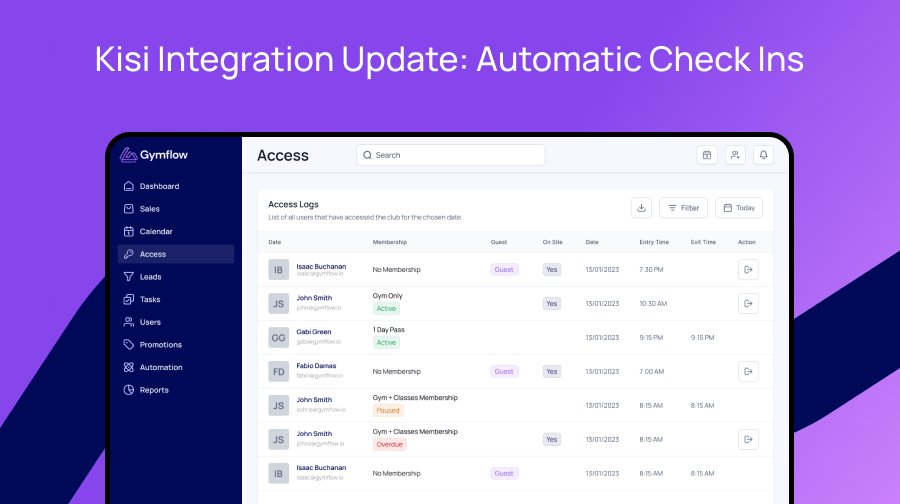
In collaboration with Kisi, Gymflow has enhanced your access management! Clients using Kisi can now connect their accounts to enable automatic check-ins within Gymflow every time a member taps in using the Kisi reader. This seamless integration ensures accurate access logs and reduces manual entry and gives you all your data in one place.
Benefits of automatic Check Ins:
Review your access logs directly in Gymflow from the Access page
See who is on site at any time from the Access page
Automatically mark checked in members in for their classes or appointments
How to setup:
Login to your Kisi Dashboard from https://web.kisi.io/
Navigate to Settings > Integrations and click "Add Integration"
Give your integration a name, we suggest "Gymflow Access Logs"
Choose "Event Webhook" from the integration type dropdown
Enter the webhook URL from the following list, please ensure you use the right URL for your region or it will not work:
North America: https://us-east-1.gymflow.io/api/webhook/kisi/access/check-in
Europe (Including UK): https://eu-west-2.gymflow.io/api/webhook/kisi/access/check-in
Asia Pacific (Incs Australia & New Zealand): https://ap-southeast-2.gymflow.io/api/webhook/kisi/access/check-in
Enter the signature key provided to you by our support team, if you have not received one please email support@gymflow.io
Choose the event type "lock.unlock" and click save
Please note if our team has access to your Kisi account this has already been setup for you! For all others we have reached out with your signature key 🔑 so you can set it up.