The improved Credit Packs page is now live!
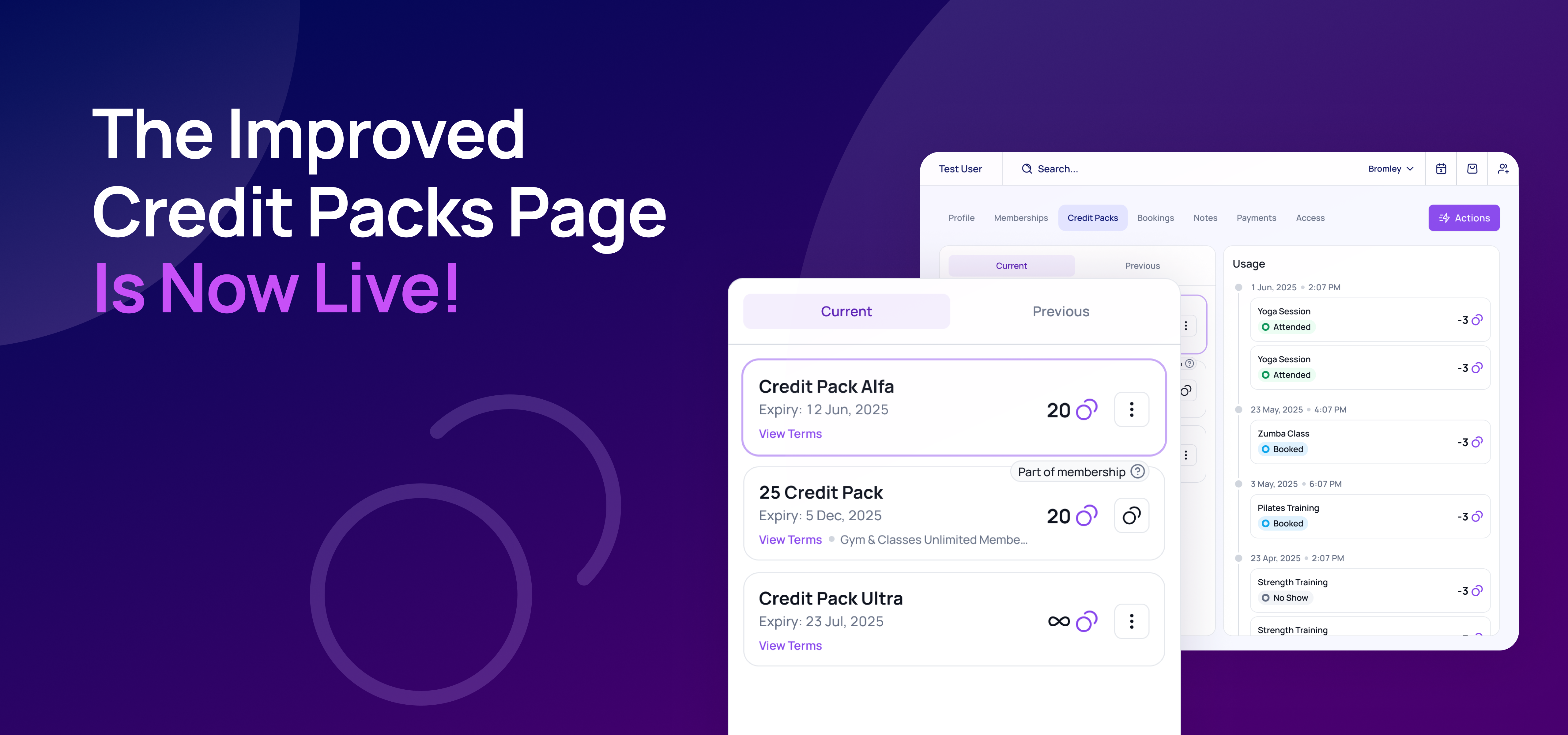
Ever had customers ask where their credits have gone? Tracking credit usage just got a whole lot easier. You can now view a detailed breakdown showing exactly what each credit was spent on!
We've completely revamped the Credits tab in the user profile. Here's what's new:
📌 Usage section: Easily track how each credit was spent. Whether a client booked, attended a class, canceled late, or didn't show up — you’ll see exactly what happened to every credit. No more guesswork!
📌 Organized Credit Pack Display: Current and previous credit packs are now clearly separated with an intuitive, clean design, making it easy to navigate and review credit history.
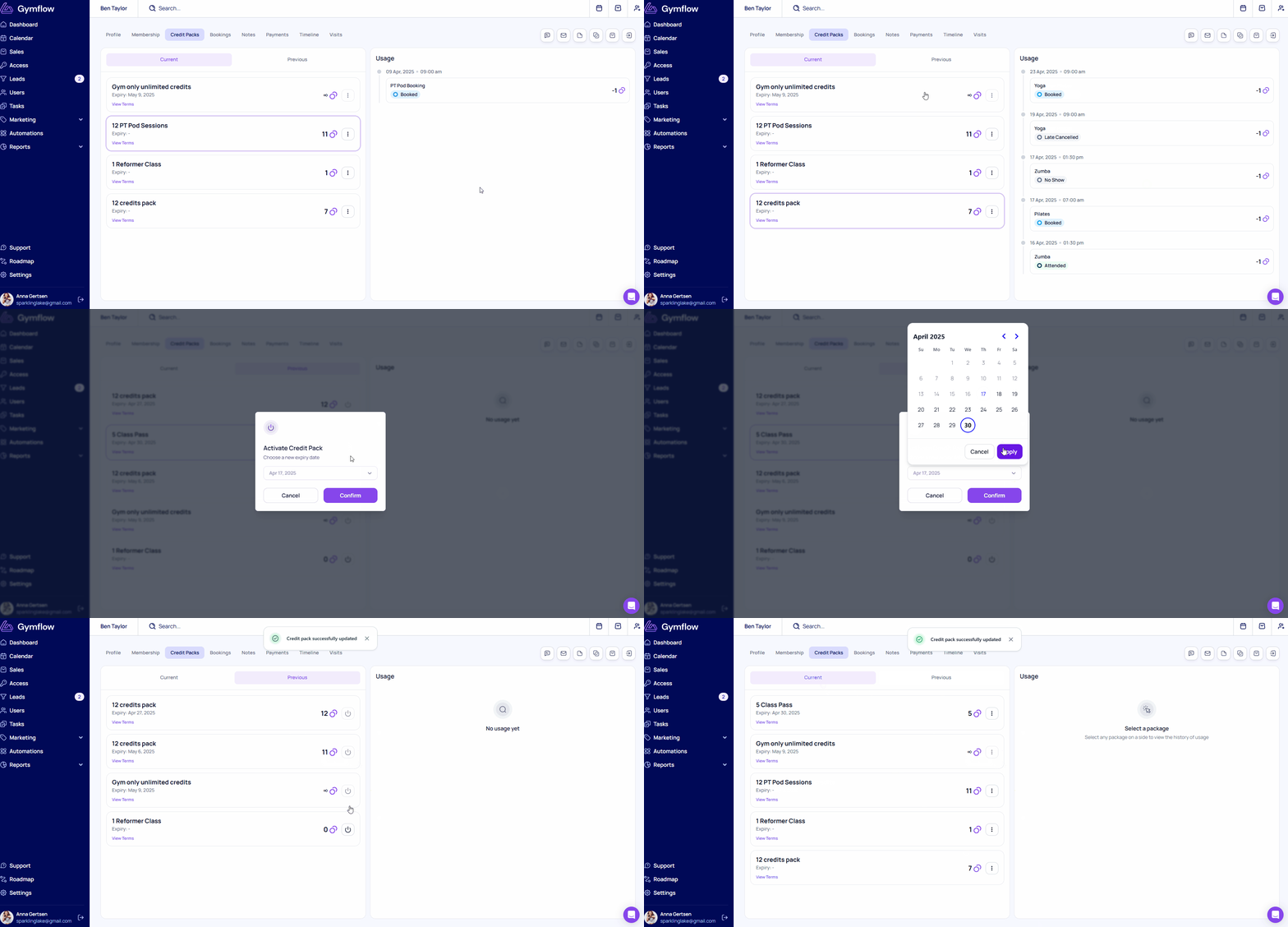
📌 Re-activating old credit packs: Want to make a past credit pack active again? This can now be done with just a few clicks!
✅ Don’t Forget – Existing Features Still Available
In addition to the new improvements, the page still supports all the tools you’re used to:
Adjust a Credit Pack: Manually add or remove credits from a user’s pack — perfect for accommodating special situations or offering extra flexibility.
Edit Expiry Dates: Need to extend access? You can still change the expiry date of a credit pack (e.g., from April 30 to May 7).
Expire a Credit Pack Early: Want to stop a user from using a credit pack? You can expire it at any time with just a few clicks.
For more information, please see our guide.
We've put a lot of effort into helping you quickly resolve credit-related inquiries and making credit pack management easier. Let us know what you think of the updated page!