📝 Club Waivers Just Got a Major Upgrade
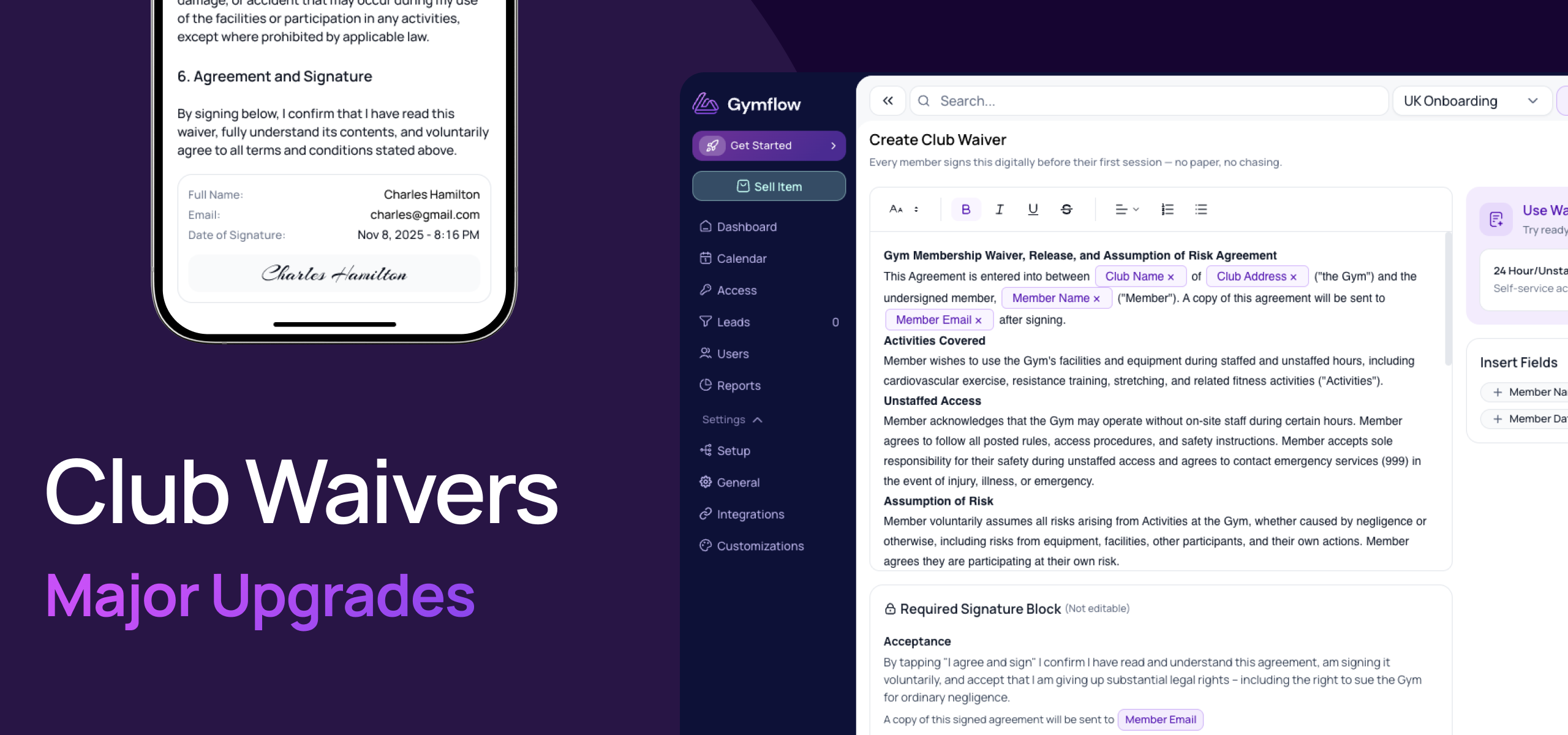
Your club waiver is no longer just a file you upload and forget. We've rebuilt waivers from the ground up so you can write them directly in Gymflow, personalise them automatically, and keep a clean signed record for every member — across every portal and app.
✍️ Build waivers with rich text
Create and edit your club waiver right inside the Staff Portal using a proper rich text editor — no more uploading PDFs or wrestling with formatting in another tool.
Write and format in place: headings, lists, bold, and links all render cleanly for members.
Smart placeholders: drop in details like member name and club name, and Gymflow fills them in automatically for each person.
Waiver Templates: We’ve pre-paid some templates for you based on different activity types and jurisdiction’s to help fast track you to a better waiver.
You existing waiver files have already been converted to Rich Text and are ready to use. We recommend checking them for formatting issues.

🖊️ A built-in signature & acceptance block
Every waiver now automatically includes a signature and acceptance block at the bottom, so members clearly view, agree and sign:
Agree & sign everywhere: works across the Member Portal, Member App, and during onboarding and sign-up.
Easy to read and fast to accept: a handy "scroll down" action jumps members to the bottom if needed a

📄 Easier Download of signed waivers as evidence
Need a record for your files? Staff can download a PDF copy of any signed waiver — complete with the signature block — to keep as evidence whenever it's needed.
View signed waivers anywhere: available in the Staff Portal, Staff App, Member Portal, and Member App.
Always know what was signed: each acceptance is tied to the exact version of the waiver the member agreed to.

This update makes waivers easier to manage, more professional for your members, and far simpler to keep on record. We'd love to hear what you think.
Kind regards,
The Gymflow Team