Check In's & Access Logs (Beta) ✨
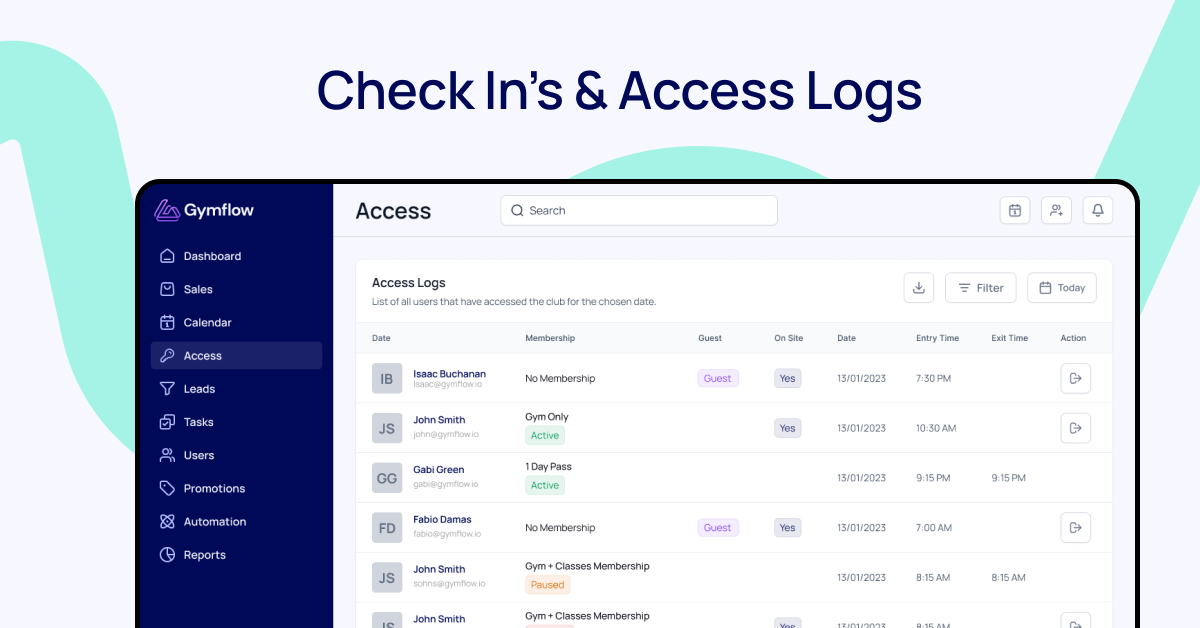
We are excited to launch a brand new feature to help you manage your members better, our new Access tab will allow you to manage entry to your gym far easier than ever before.
Please note this feature is currently in beta testing for the next 14 days. If you have any feedback at all please share it with us to support@gymflow.io
Check In's 🚪
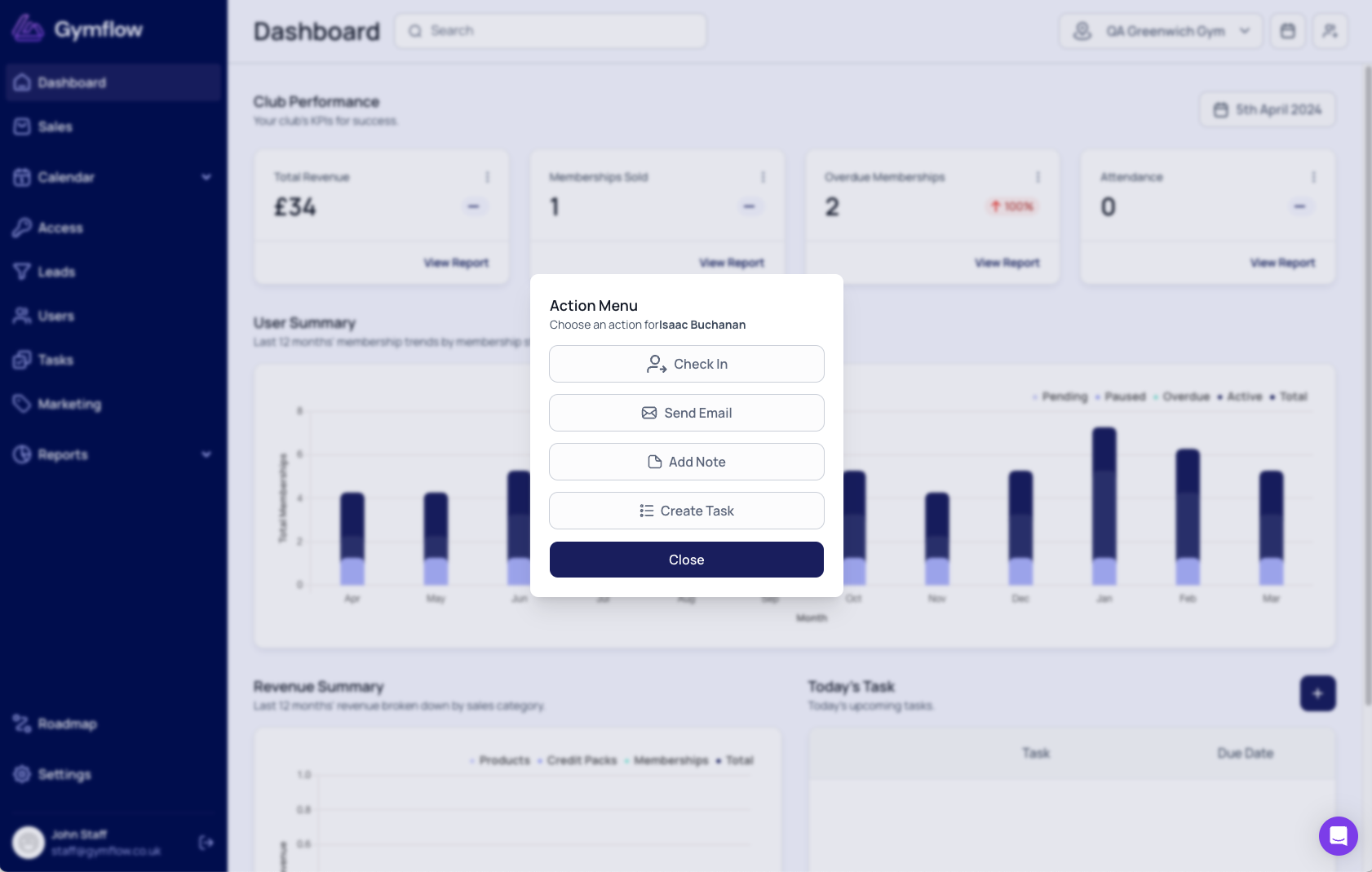
Check anyone into the gym with just two clicks so you can take attendance and have a list of access logs for your gym. Simply search for the user, click the new "Action Menu" and click "Check In"!
Membership Alerts 🚨
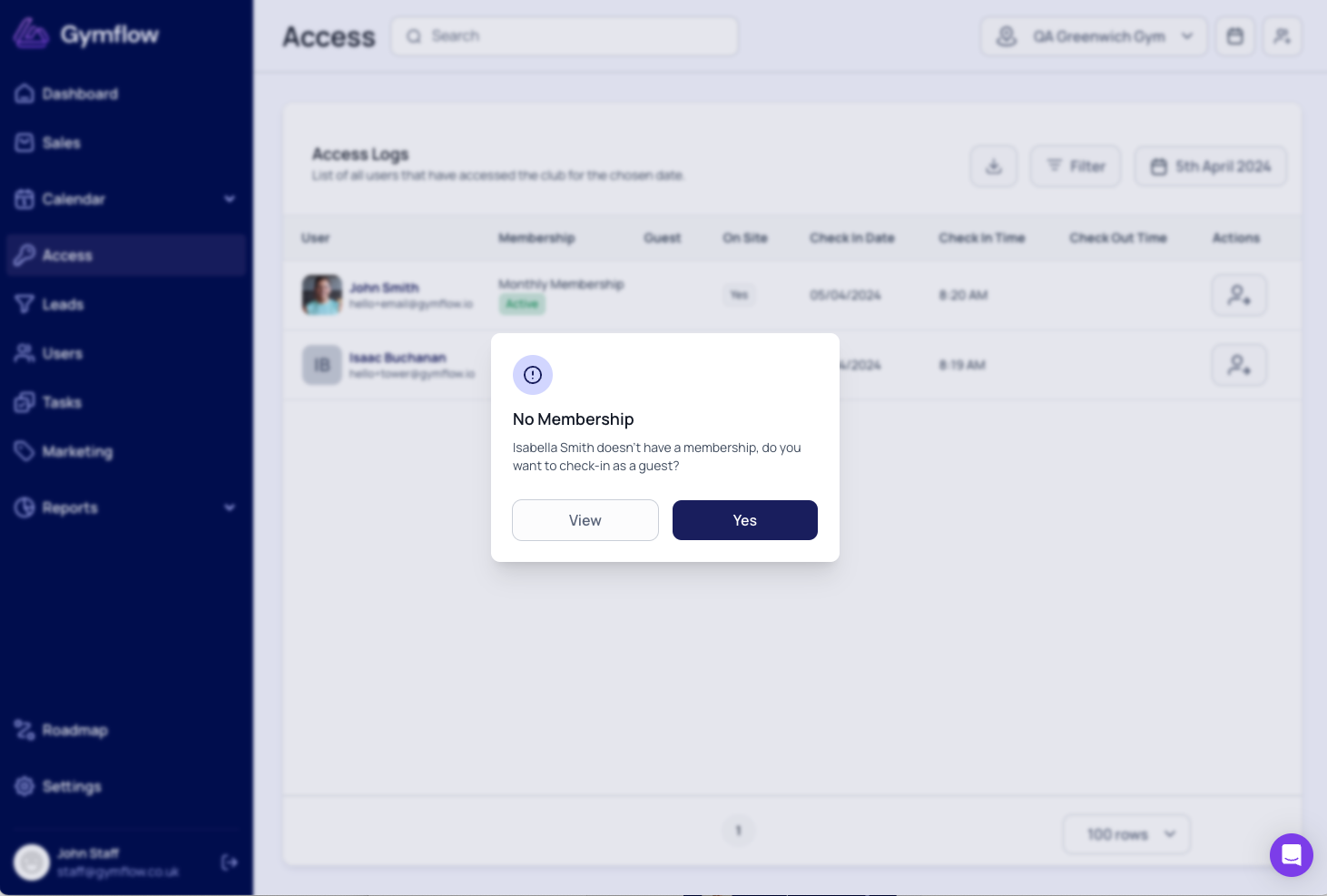
Be alerted when a user you are checking in does not have an active membership so you can action their account before entry.
Guest Check-In 👥
If a user does not have a membership you have the option to check them in as a guest so you can track guest and buddy attendance better.
Automatic Class/Appointment Attendance 🔁
When you check someone in, Gymflow will automatically mark them as "Attended" for any classes or appointments they have booked within 2 hours of the check-in time, saving your instructors and trainers valuable time.
Automatic Check Outs 🔁
We will automatically check the members out after 2 hours so you don't have. In the full version, you will be able to set this time window to suit your club.
Access Logs 📋
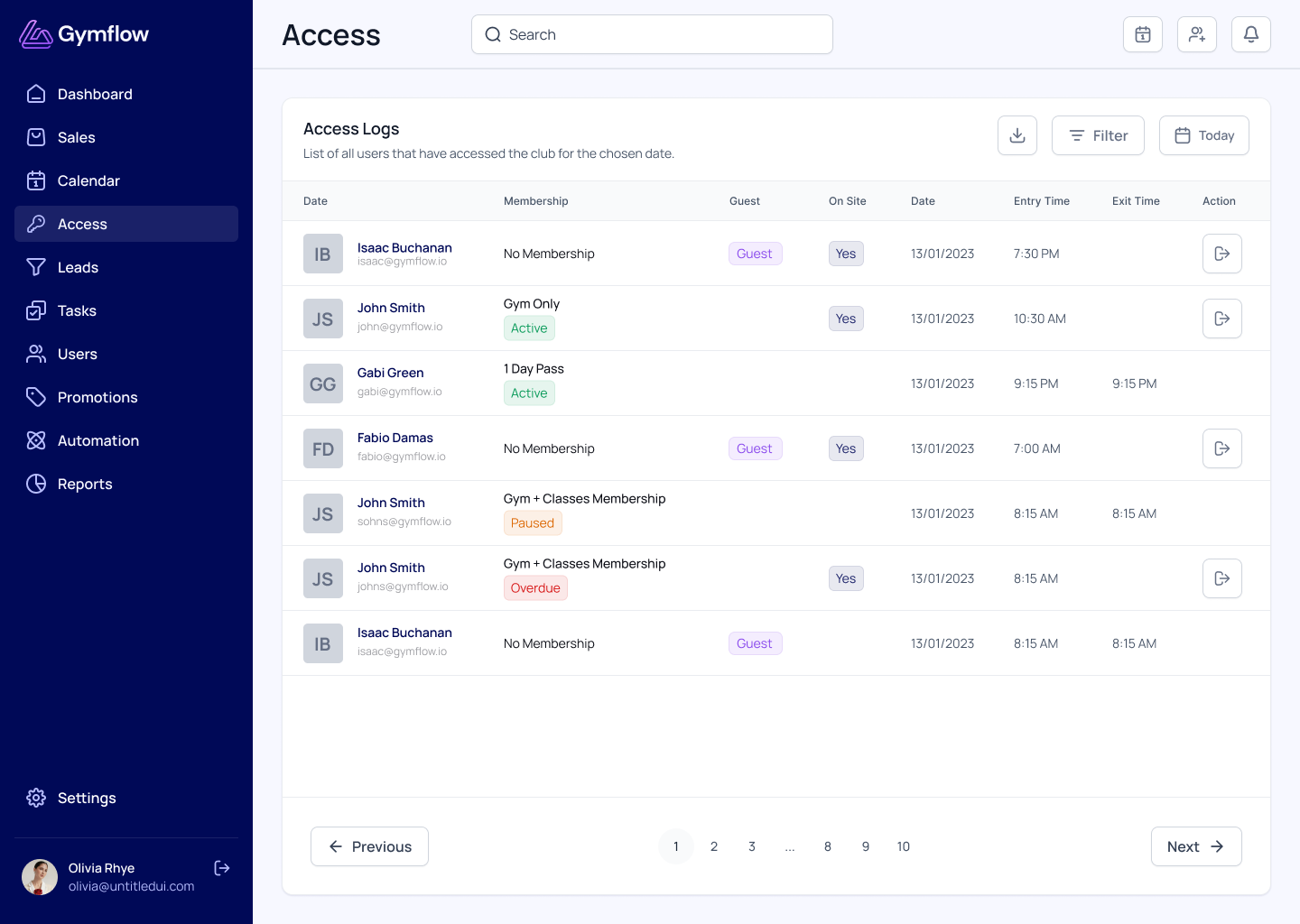
See who is on-site at any time, find guests and get your access logs for any date ranges. Filter your logs by membership type and download them to CSV if needed.
Coming VERY Soon 🔜
Integration with Kisi: Prepare for a seamless access experience in our next update, as we integrate Kisi with the check-in system. Members tapping in with Kisi will be automatically checked in and you will have all your access logs available directly in Gymflow.