Staff App — Full Member & Lead Management
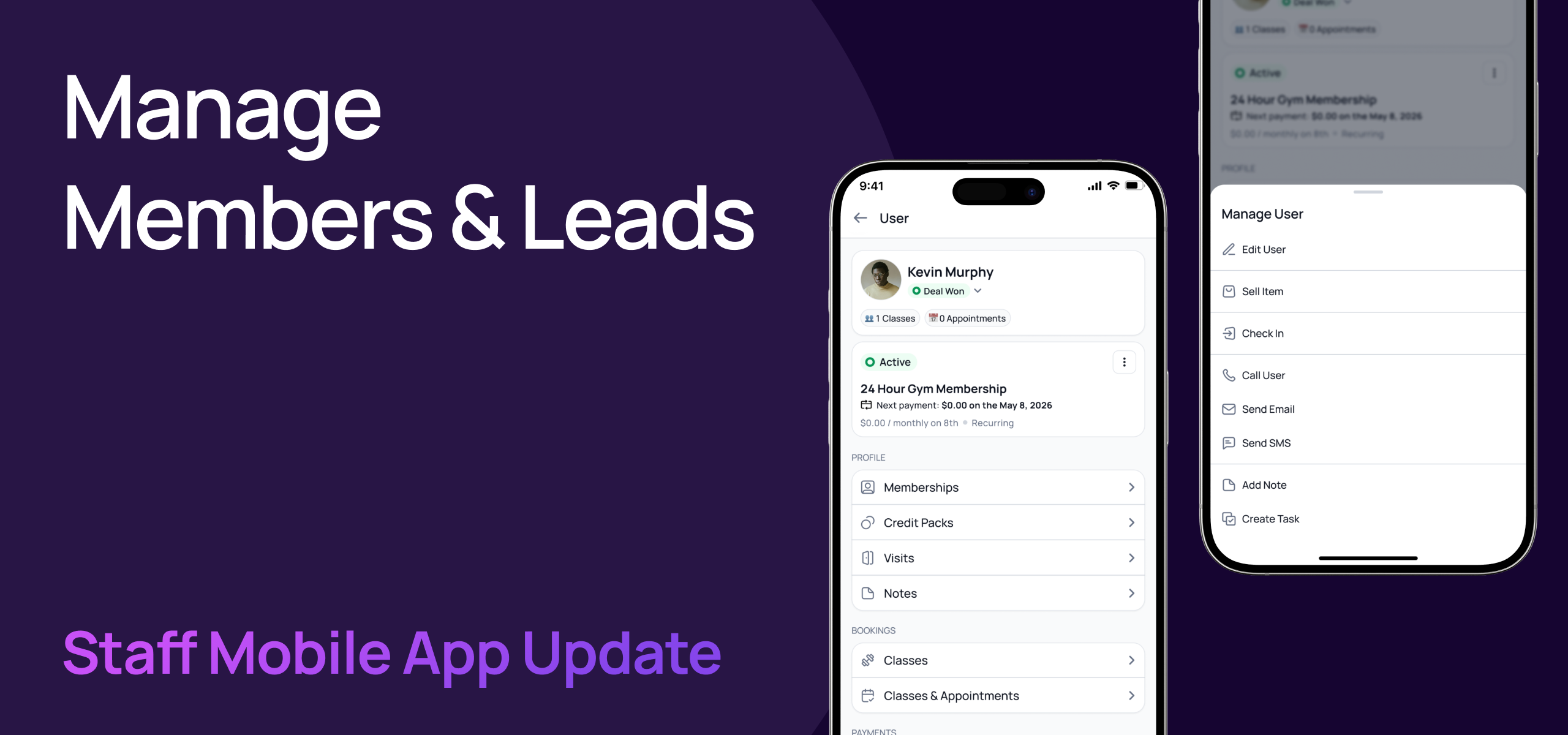
We've brought full member and lead management to the Gymflow Staff App. Everything you can do in the staff portal for managing users — you can now do on the go, right from your phone!
If you’re not already using the staff app, you can download for iOS or Android and sign in with your existing email and password now!
👤 Redesigned Users Tab & Profiles
The Users tab has been completely redesigned with a new layout, global search, and quick actions. Finding and managing members is now faster than ever.
Global search for multi site clubs with recent search history so you can quickly find members you've looked up before
Create new users and leads directly from the Users tab — no need to switch to the portal
Redesigned user and lead profiles with a clear info block showing membership status, badges, and key details at a glance
Quick actions on every profile — edit, call, email, SMS, check in, or create a task without leaving the app

💳 Complete Membership Management
Staff can now manage every aspect of a member's subscription directly from the app — the same actions available in the staff portal are now in your pocket.
View membership status with all states clearly displayed — active, pending, paused, cancelling, overdue, and more
Cancel Membership - Schedule or cancel a membership immediately and collect cancellation reason.
Pause Membership - Schedule or start a membership pause, resume and collect pro-rated fees.
Update Details like prices, billing dates, contract length or change start dates.
Change membership — switch a member to a different plan with a full comparison summary
Share membership with another member (e.g. family or corporate sharing)
Apply or remove promo codes on active subscriptions
Collect overdue payments with a dedicated Collect button on overdue membership cards
View full membership history — see all current and past memberships for any member

📅 Bookings — Classes & Appointments
View a member's complete booking history for both classes and appointments, with filtering and upcoming/past tabs.
Classes — see upcoming and past class bookings with filter options
Appointments — view upcoming and past one-on-one sessions (e.g. personal training)
🎟️ Credit Packs
Full credit pack lifecycle management is now available in the staff app.
View current and previous credit packs with usage details
Adjust quantity, edit expiry, expire, or re-activate packs — all from your phone
📝 Notes
Add context to any member or lead profile with full notes management.
View, add, edit, and delete notes on user and lead profiles
Supports text content and file attachments
🚪 Visits & Access
Track member check-ins and manage access credentials without touching the portal.
View full visit history for any member
Setup access or reset access directly from the app
💰 Wallet & Payments
Manage a member's financial details on the go.
Wallet — view balance, transaction history, and collect payments including voucher code redemption
Payment methods — view, add, set default, or delete a member's payment methods
Invoices — view invoices in all states, issue refunds, adjust invoices, and collect overdue payments
✅ Tasks
Create and manage tasks linked to member profiles with the updated task design.
Create and edit tasks directly from a member's profile
Updated task form matches the latest design
This update means there's nothing you can do in the staff portal for user management that you can't now do from the staff app. Your team can manage members from anywhere — the front desk, the gym floor, or on the move.
If you have any questions, don't hesitate to reach out!
Kind regards,
The Gymflow Team