⏸️ Members Can Now Pause Their Own Memberships (With Rules!)
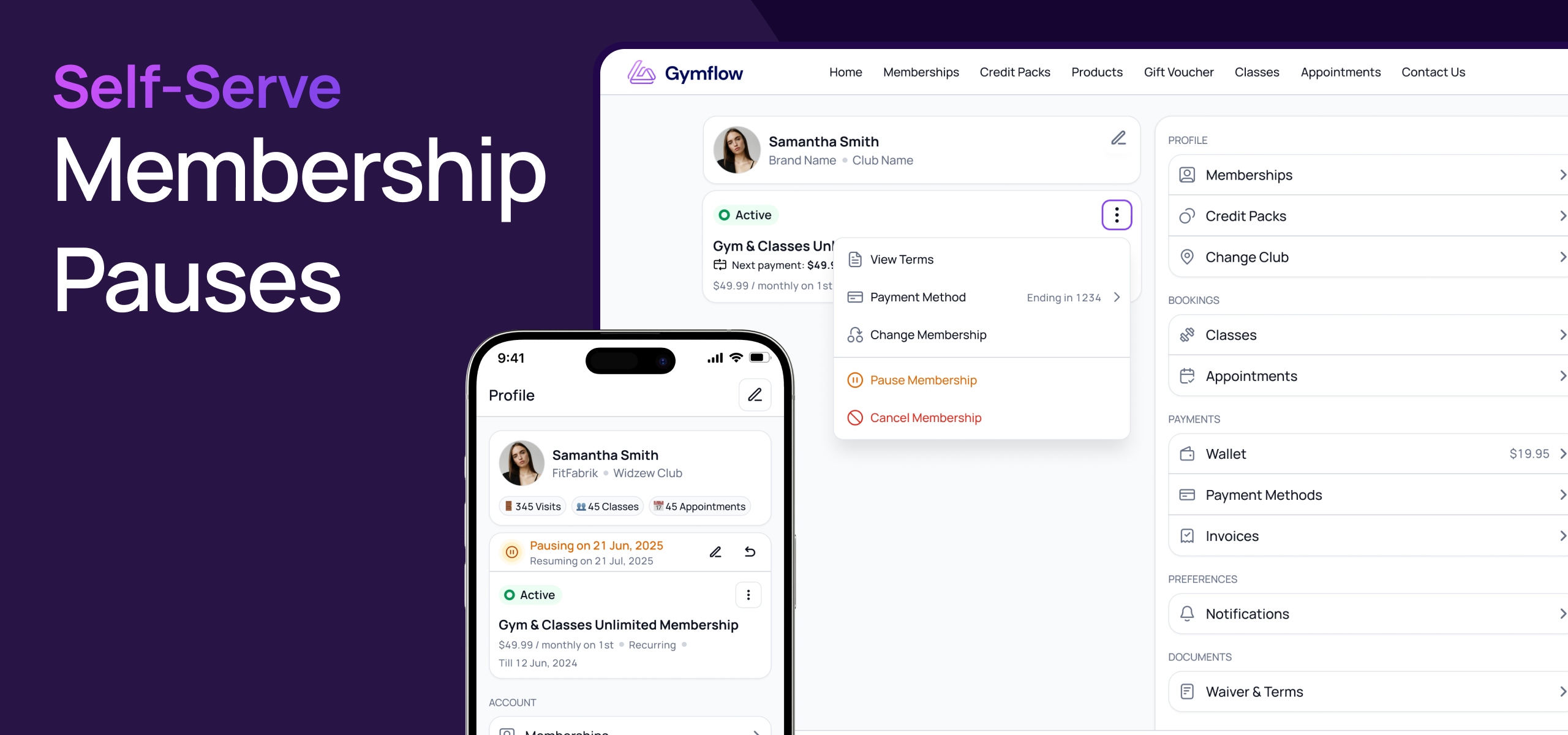
One of the most common admin requests just got a self-service option. Members can now pause and resume their own subscriptions directly from their profile — within the rules you set per membership. Less admin overhead for your team, more flexibility for your members.
⚙️ Set the rules per membership
You're in control of who can pause, for how long, and how often. On each membership plan you can now configure:
Self-service pausing on/off — toggle it per plan, so it only applies where you want it to.
Minimum & maximum pause duration — set the shortest and longest single pause a member can request (in days, weeks, or months).
Rolling 12-month allowance — cap the total paused time a member can take across any rolling 12-month period.

⏸️ Members can pause from their profile
On plans where self-service pausing is enabled, members will see new options on the subscription card in the customer portal and the Members App:
Pause — pick a start date and an end date within the min/max bounds. The membership auto-resumes when the pause ends.
Resume early — end an active pause at any time.
Cancel a scheduled pause — back out of a pause that hasn't started yet.
Extend an active pause — push the end date further if they still have allowance remaining.

📊 Transparent allowance tracking
Members always know where they stand. The subscription card shows their remaining pause allowance for the current rolling 12-month window. If they've used it all up, the pause option is disabled with a clear explanation of when allowance becomes available again — no need to contact the club.
👀 Staff still see (and control) everything
When you view or manage a member's pauses from the staff portal or Staff App, you'll now see the plan's self-service rules and the member's current usage against them at a glance. Staff actions remain completely unrestricted — you can still pause or resume any member regardless of allowance.
Migrating from the old pause settings? Existing memberships have been pre-populated with sensible defaults, so nothing breaks. Just visit each plan's settings page when you're ready to fine-tune the new self-service rules.
We expect this to be a big time-saver for studios with members who travel, take seasonal breaks, or just need a bit of breathing room. Let us know how it lands.
Kind regards,
The Gymflow Team