👌 New "Visits" Reporting Dashboard 👌
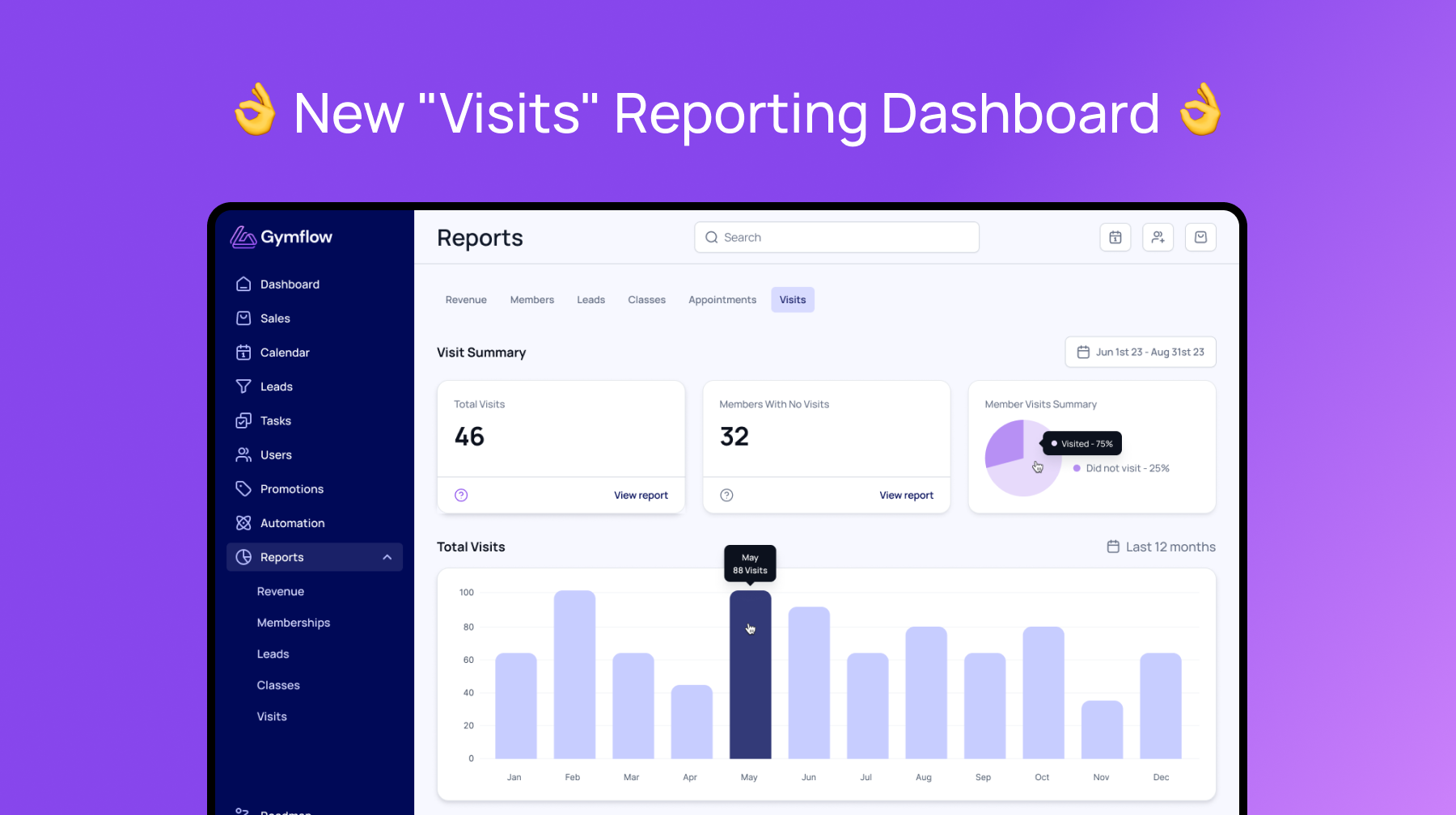
Every time you check a user into your business, Gymflow counts this as a visit. You can check users in manually or automatically if you are using access control. You can see a list of these visits on the access page of Gymflow.
We’ve added a new reports dashboard for you to gain insights on your Visit’s and learn more about your members and how they are using your business.
Please note if you are not using check in’s in your business than these reports are not suitable. Visit’s represent a physical visit to the premises and is different to attending a class (class attendance) which is reported separately.
Where To View
Access all of these reports from Reports > Visit's
Add one or more of the reports to your dashboard page
Visit Reports ✅
Visit reports are there to understand the traffic into your business, it’s not specifically members visits, but any visit by members or guests.
Visit’s Summary: See total number of visit’s for any date range you select.
Visits List: See a list of visit’s for any date range you select, including which membership they have and it’s status. This list can be downloaded to CSV. ⬇️
Visits Chart: See your total monthly visits over time so you can understand the visit trends in your business and which months you can expect increased or decreased visits.
No Visits Reports 🛑
No visit reports are there to let you know how active your membership base is, only “Active” members will appear on these reports and only if they have not visited within the date range specified.
Typically you would want to view this over an extended period of time e.g 90 days, it’s quite common for a member to not visit within a month due to holidays, sickness or lack of time.
Members who do not visit your business in the longer term become a cancellation risk, so efforts should be made to keep these numbers as low as possible.
No Visit Summary: Total number of “Active” members that have not visited the business within the date range specified.
No Visit List: List of “Active” members that have not visited the business within the date range specified, include which membership they own. You can select and communicate in bulk with this list of members ✉️, also available as a CSV download. ⬇️
No Visit Pie Chart: A breakdown of visiting vs non visiting members as a percentage for any period, a good indicator of how active your membership base is.
We hope you enjoy these new reports and that they had value to your business. Please pass any feedback or ways we can improve these reports to support@gymflow.io.
Kind regards,
Isaac - Founder