Multi Site Search, Profiles & More!
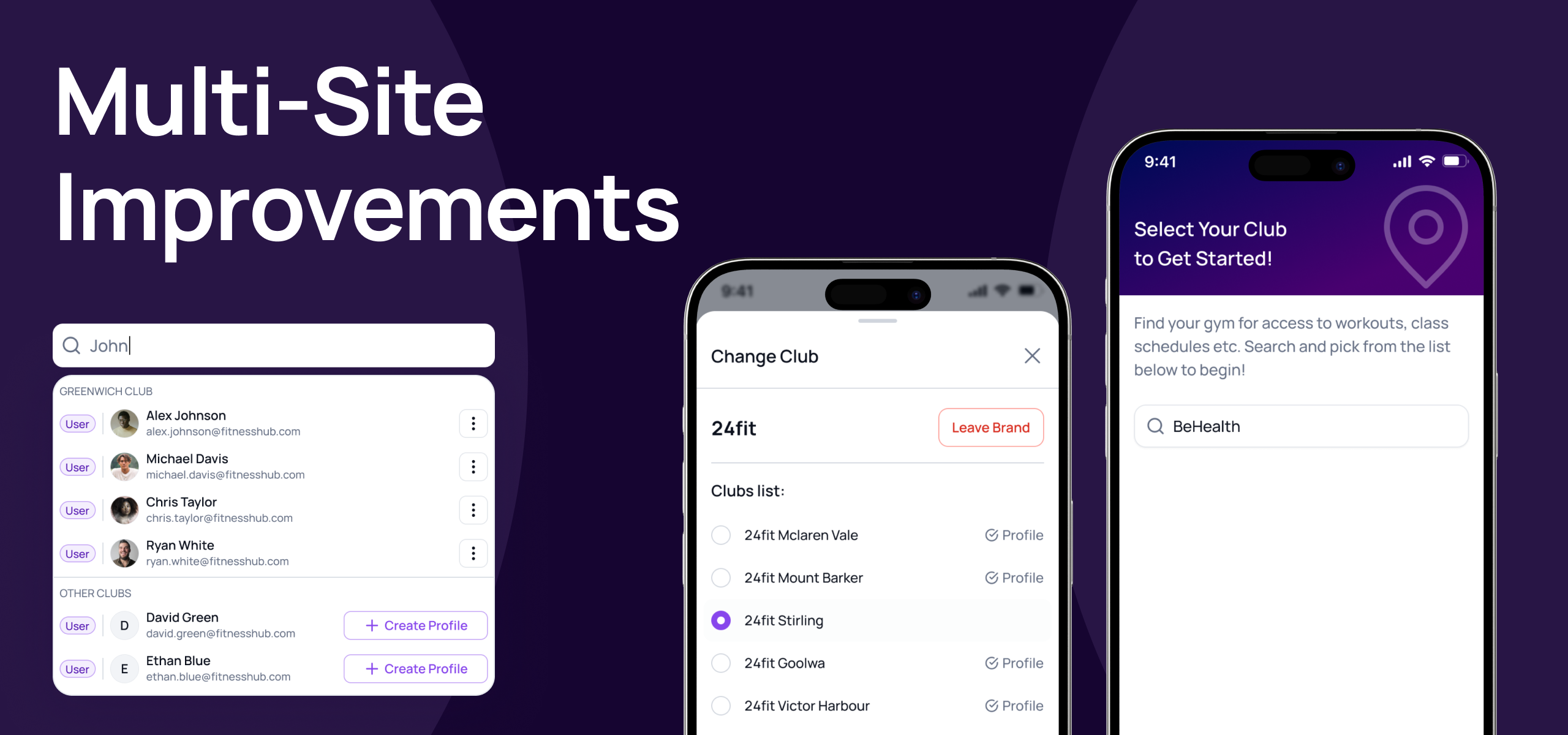
We’ve introduced major improvements for multi-site brands. Customers can now seamlessly interact with multiple locations under the same brand — without duplicated accounts.
1️⃣ Universal Accounts: One Login, Multiple Clubs
Users can now use the Member App to switch between different locations within your brand without having to have a separate account or having to sign in again. All their account details including Email, Password, Payment Methods, and Device (for access control) stay with them.
2️⃣ Search The Entire Brand
When searching, staff can now see if the account already exists at another brand. This helps avoid creating duplicates or getting those pesky “email already in use” errors.

3️⃣ Sell Services Across Clubs
Users can now easily purchase any product or service at any club within your brand. This includes:
Having multiple memberships (1 per location)
Purchasing credit packs and attending classes or appointments at other locations)
4️⃣ Localised Records Per Club
Whilst the user can easily switch clubs, records of the user are stored on their club profile. This includes all the users purchases, bookings, notes, tasks and visits.
This ensures that information specific to a club is not accidentally shared with another franchise owner or with a staff member that shouldn’t have access.
This ensures staff at one club cannot take actions on a user for another club, unless they have been given the correct permissions to do so.
Booking Limitations
This update does not give a user the possibility to use their membership or credit pack to book classes or appointments at another location.
To book classes or appointments at another location they would need to have a suitable membership or package at that location first.
Sharing booking rights across locations will be tackled in this feature update: Membership & Package Reciprocity across locations
We’ve updated our collection of articles for account management, so please feel free to check these for more information.
If you have any questions at all, please don’t hesitate to reach out!
Kind regards,
The Gymflow team